

{{ question.title }}
{{ question.category}} / {{ question.id }}
MaNaBo
- CHUKYO MaNaBo is the Educational Support System of Chukyo University. Through this system, you can submit your paper, watch syllabus and teaching materials etc... Click the link in CHUKYO ALBO!
- CHUKYO MaNaBo is available through PC and Smartphone.
Function
- Check notifications from School and Teachers
- Emails
- Submit Papers and Tests
∗Information from your teachers is especially important. We recommend you to check it every day through Email.
Log in
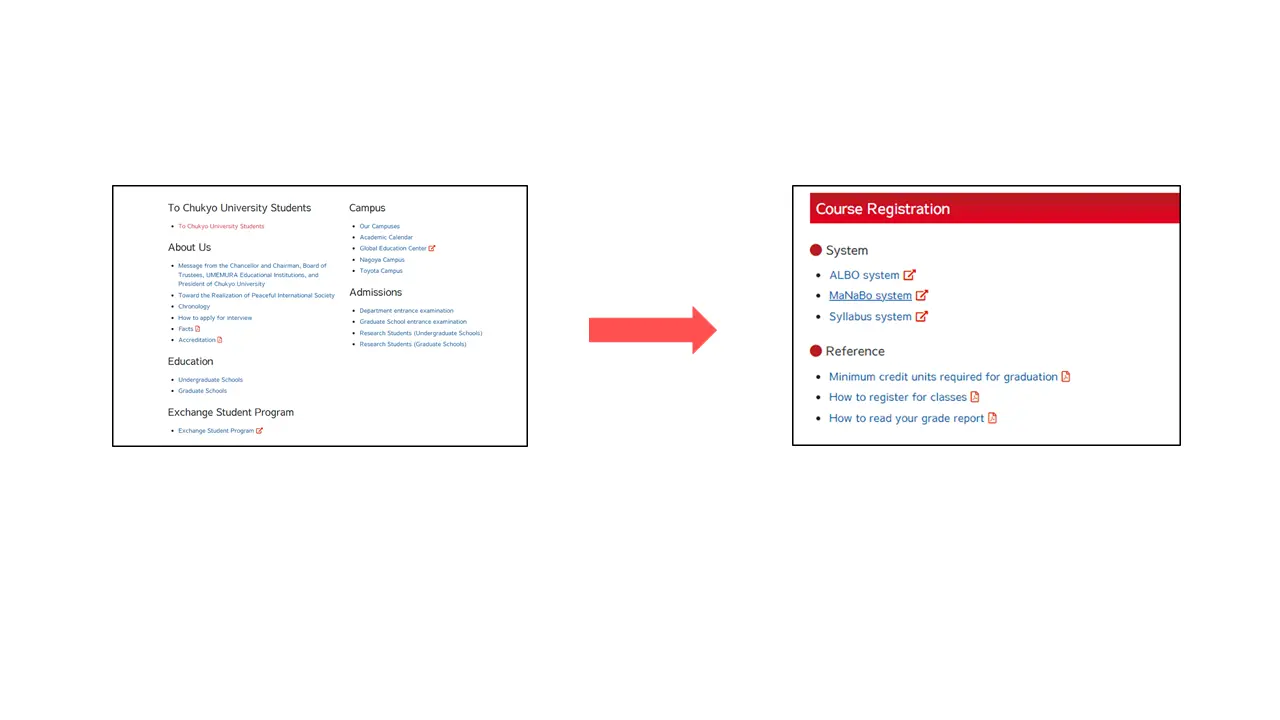
- Click “To Chukyo University Students” and Choose “MaNaBo system” from “Course Registration”.
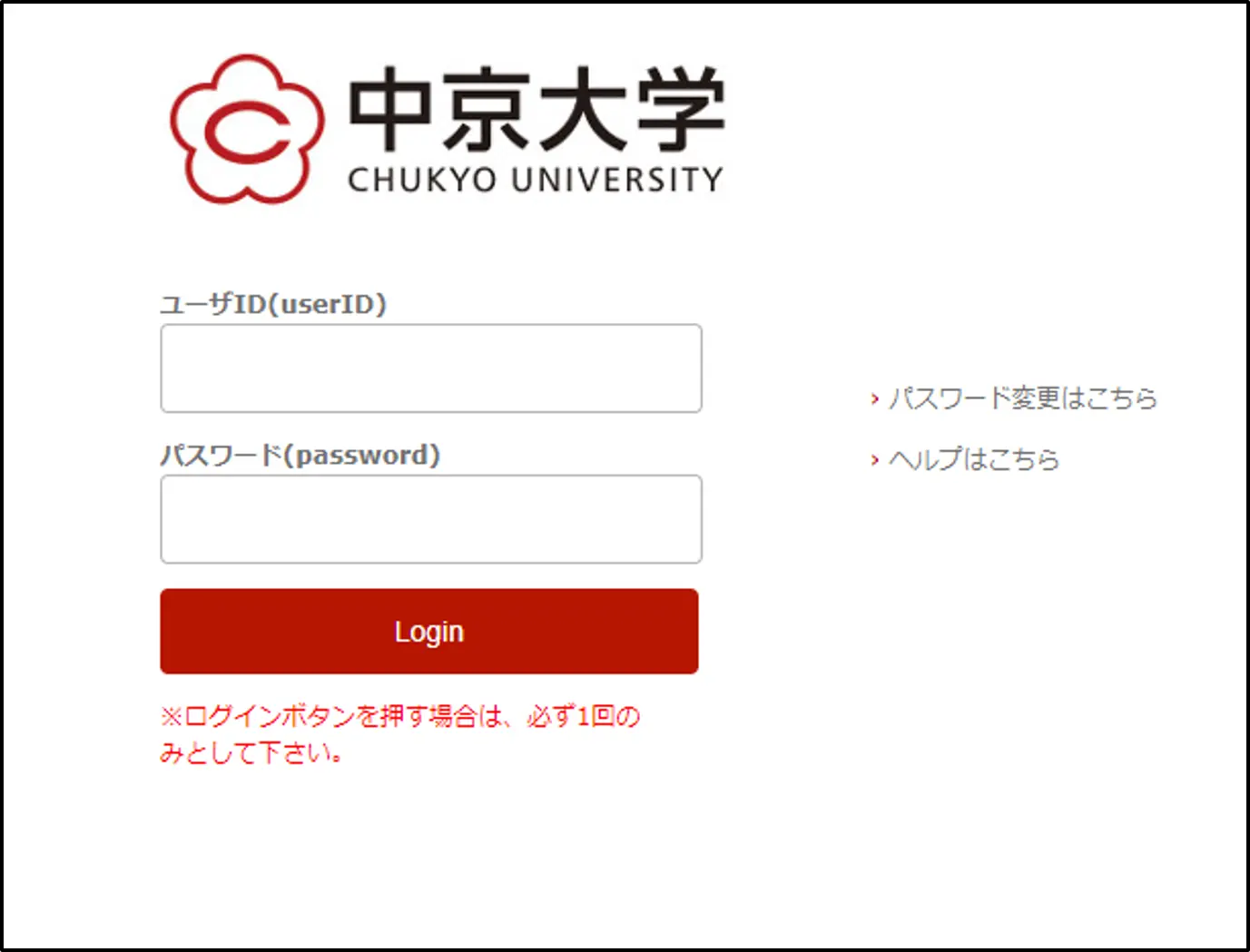
- Enter your user ID and password. Then, click the Red bottom.
Home page
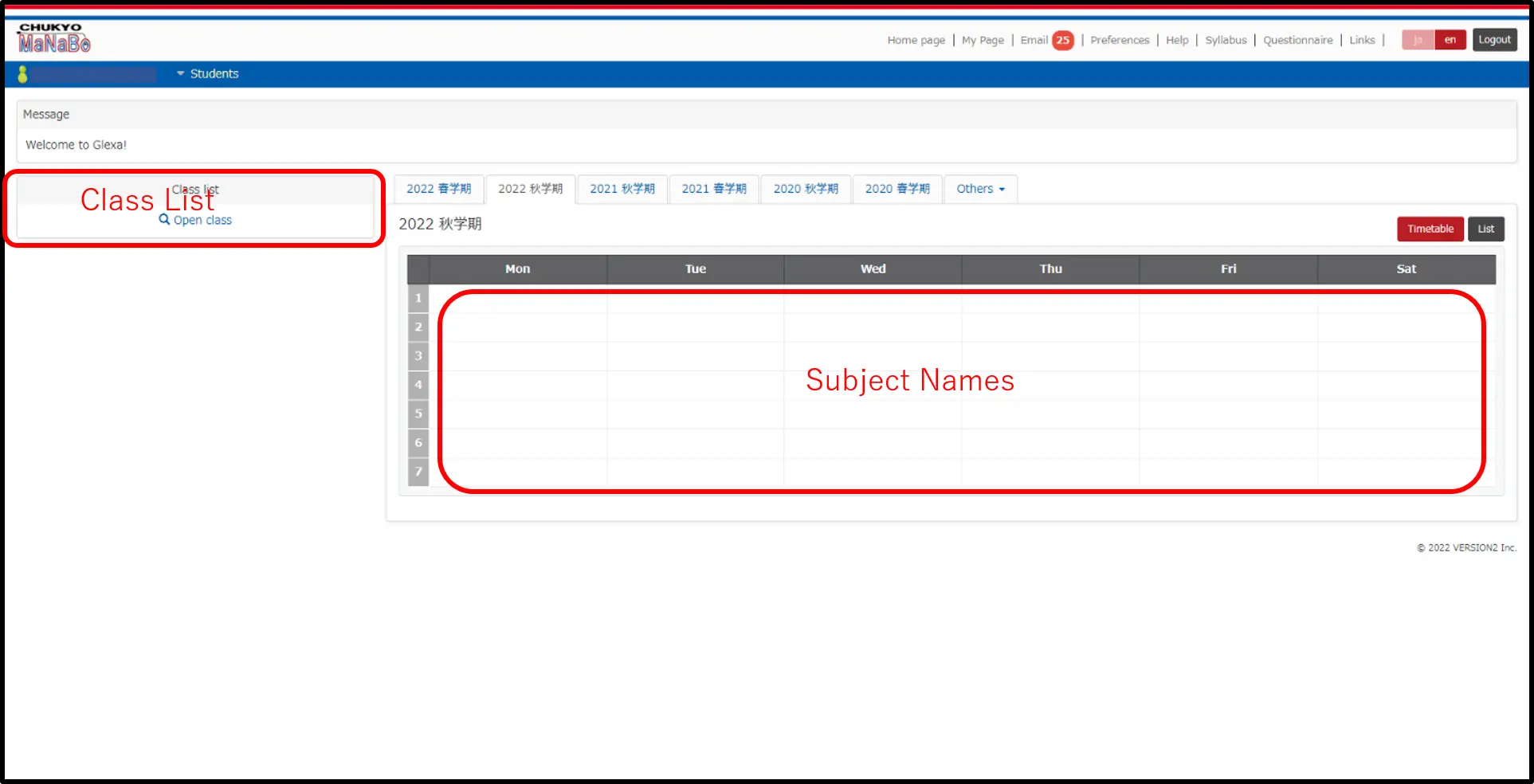
This is “Home Page”. You can check the classes you have taken from this page and you can move to the other page from the tabs on the top of the screen. You can move to “Top Page” of each subject by clicking the subject names on time table of the “Home page”. You can also check it up from “Class list” on the left side of the page.
Top page
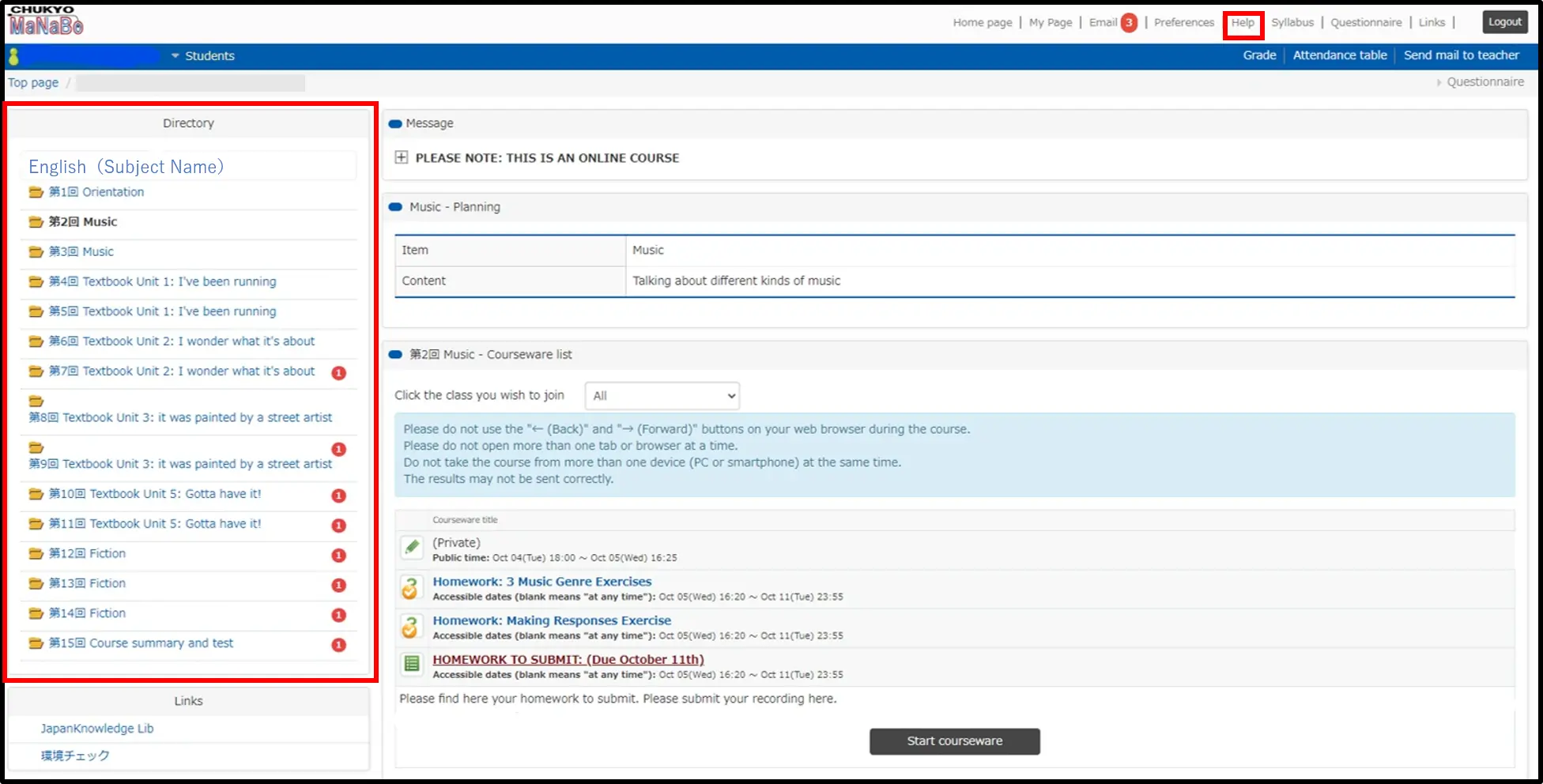
This is “Top Page”. You can check your homework and notifications of each class. They will be indicated on the left side “Directory”. You can open this screen by clicking the subject names on timetable of the “Home Page” (1). Like this, homework of the classes is indicated. You can check the procedure of taking the exams at (8). If you need additional information for attending the lectures, please check “Guide for student” on “Help page”(5).
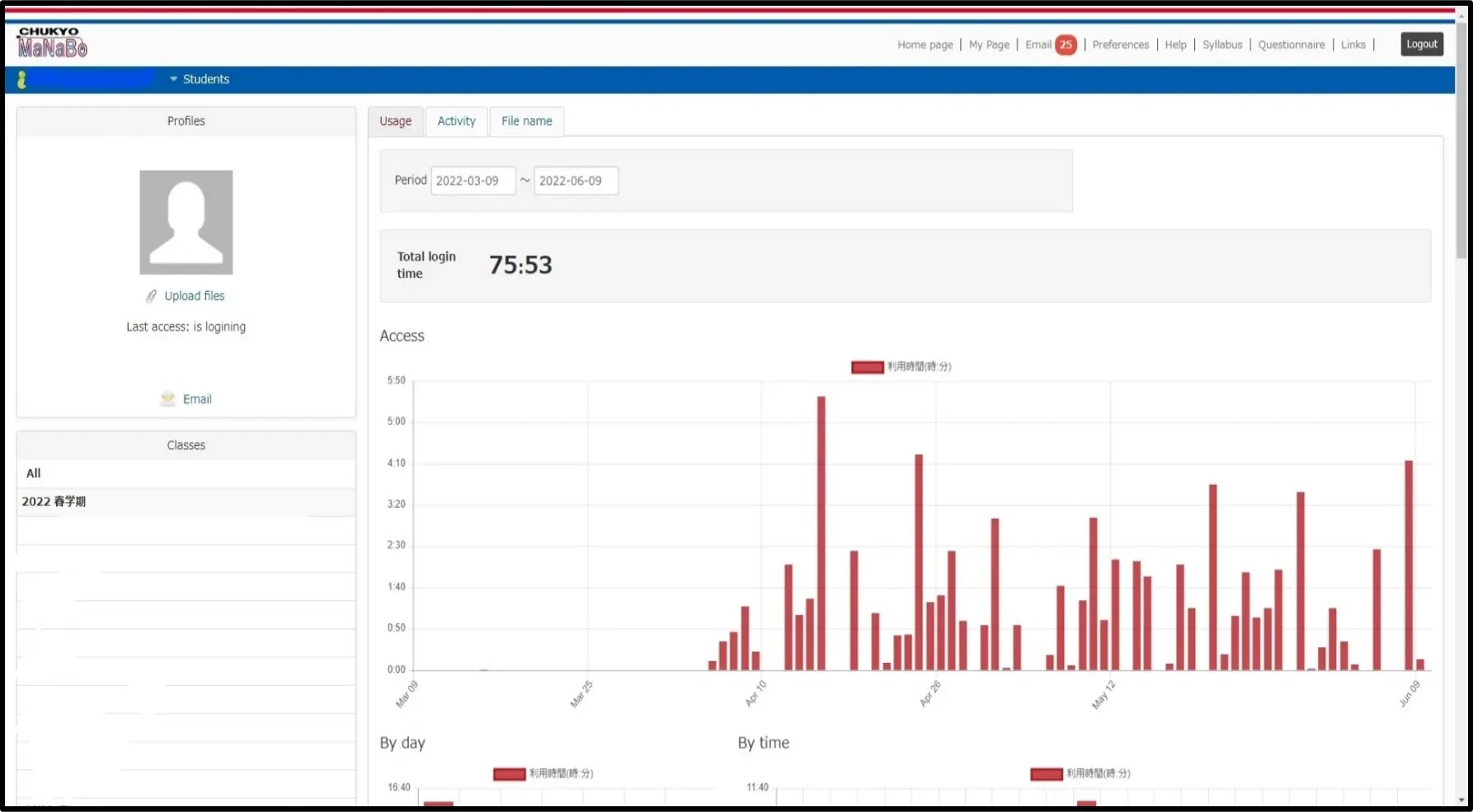
My page
This is “My Page”. You can check your activity records on this page.
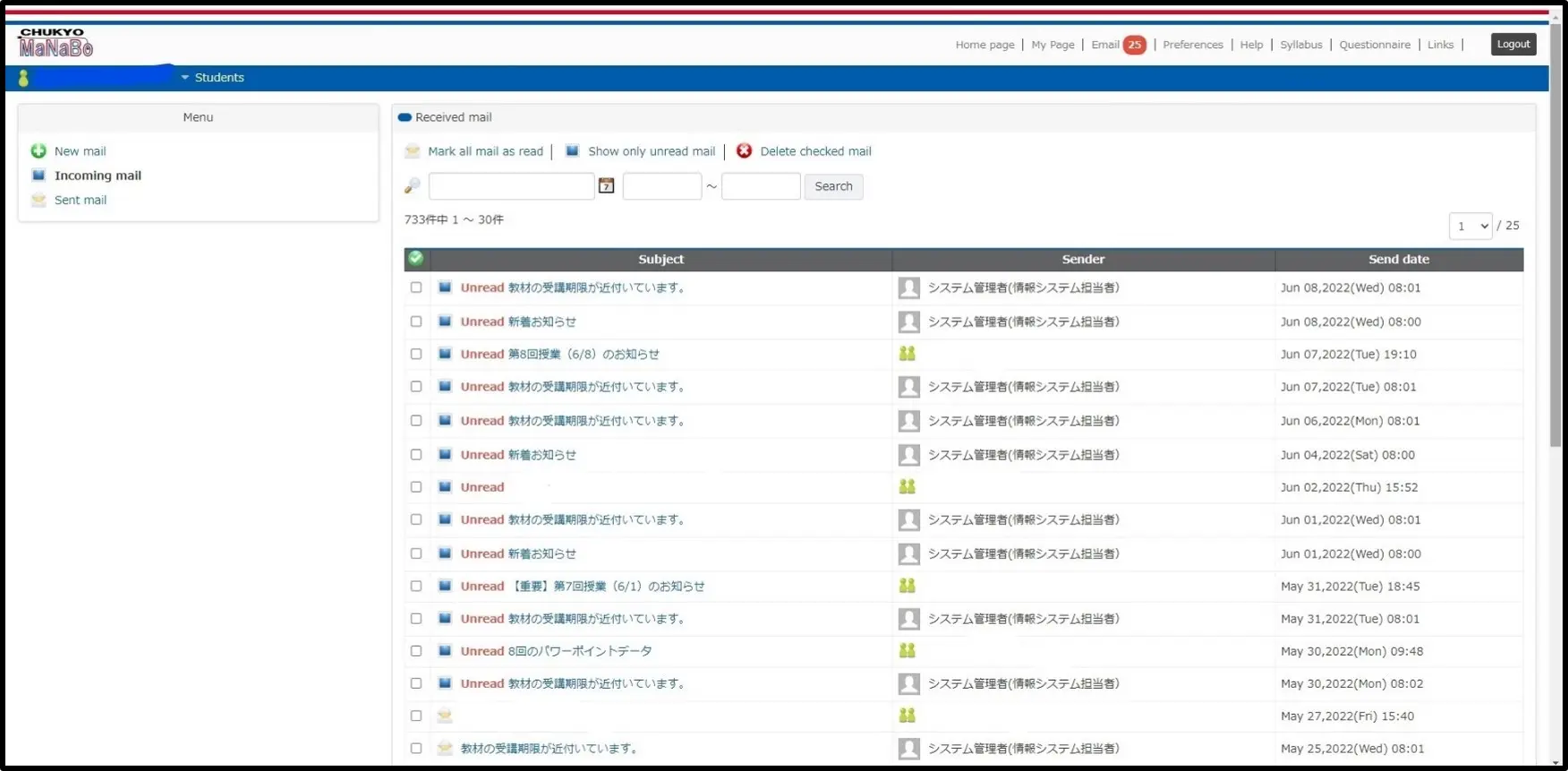
On the “Email” page, you can check the messages from your teachers and Chukyo University.
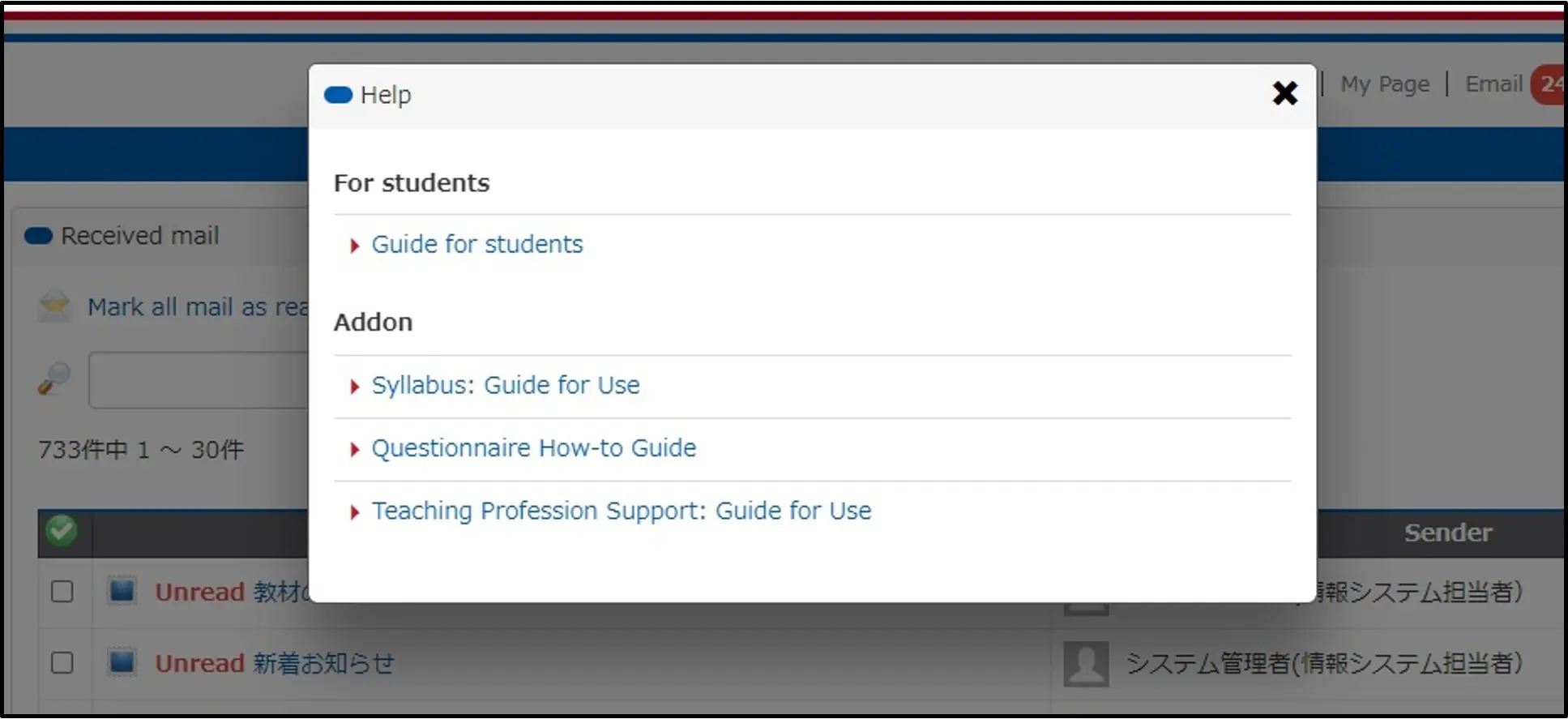
Help page
On the “Help page”, you can check in detail about how to use MaNaBo. If you want to know more about Syllabus, Questionnaire, and Teaching Profession Support, all of them are available from “Addon”.
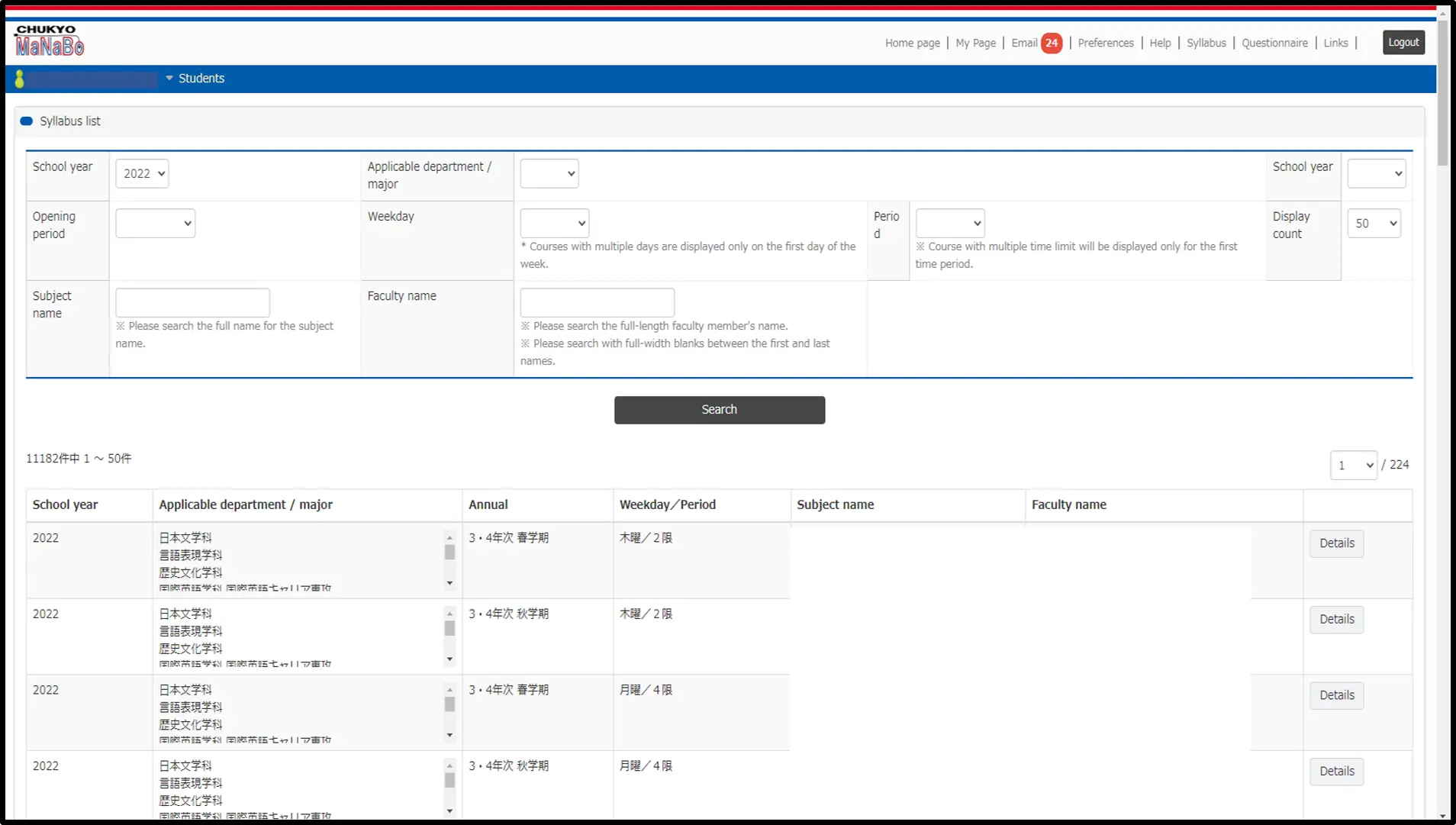
Syllabus
On the “Syllabus” page, you can check the outline of each class. You must check syllabus before you register the classes through ALBO.
Attendance Confirmation
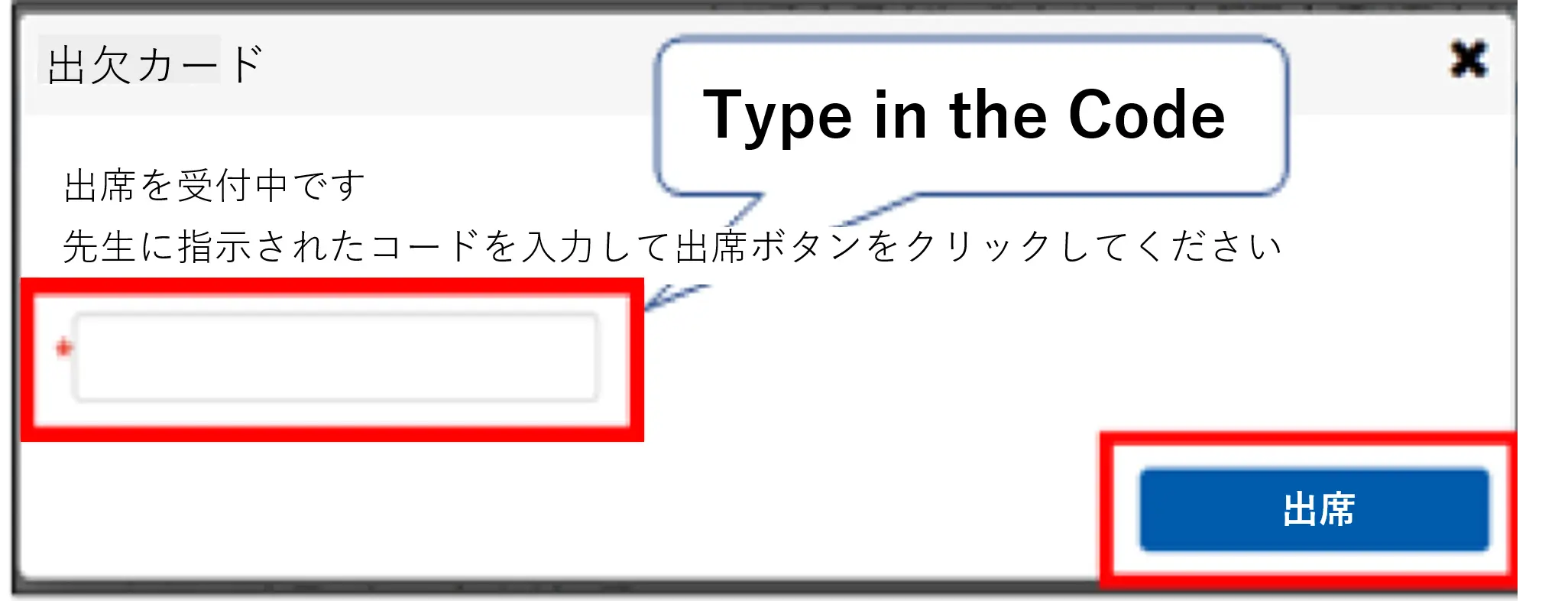
When your teachers take attendance during the classes through MaNaBo, please open the class page. Then, this screen is appearing on this page. Please type the attendance code told from your teachers and click the blue bottom.
Quiz and Exams
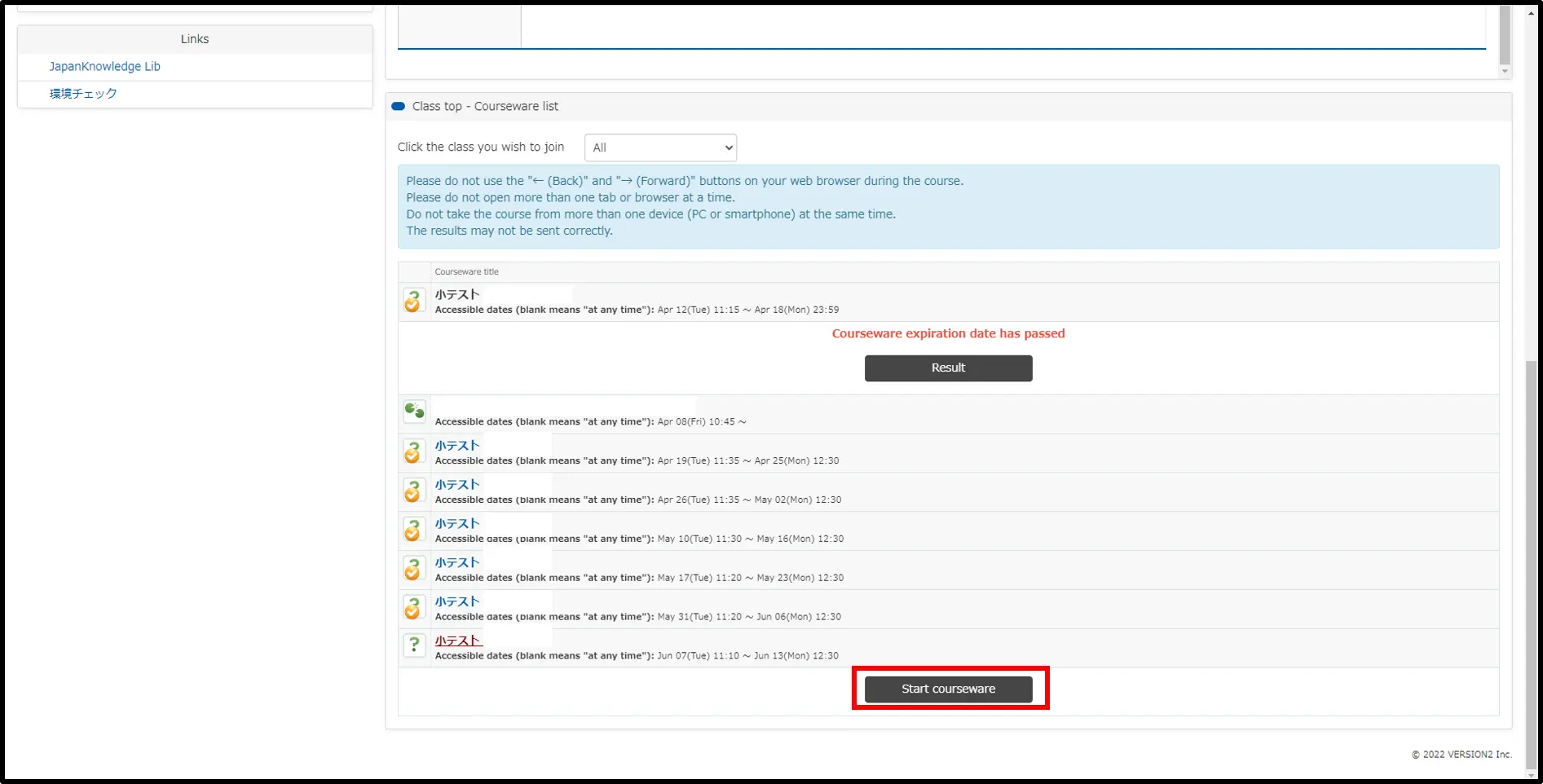
This screen is “Directory”. You can open this page by clicking the subject names on time table of the “Home Page”(1). Like this, homeworks of the classes are indicated. Select the homeworks and click “Start courseware”.
Quiz
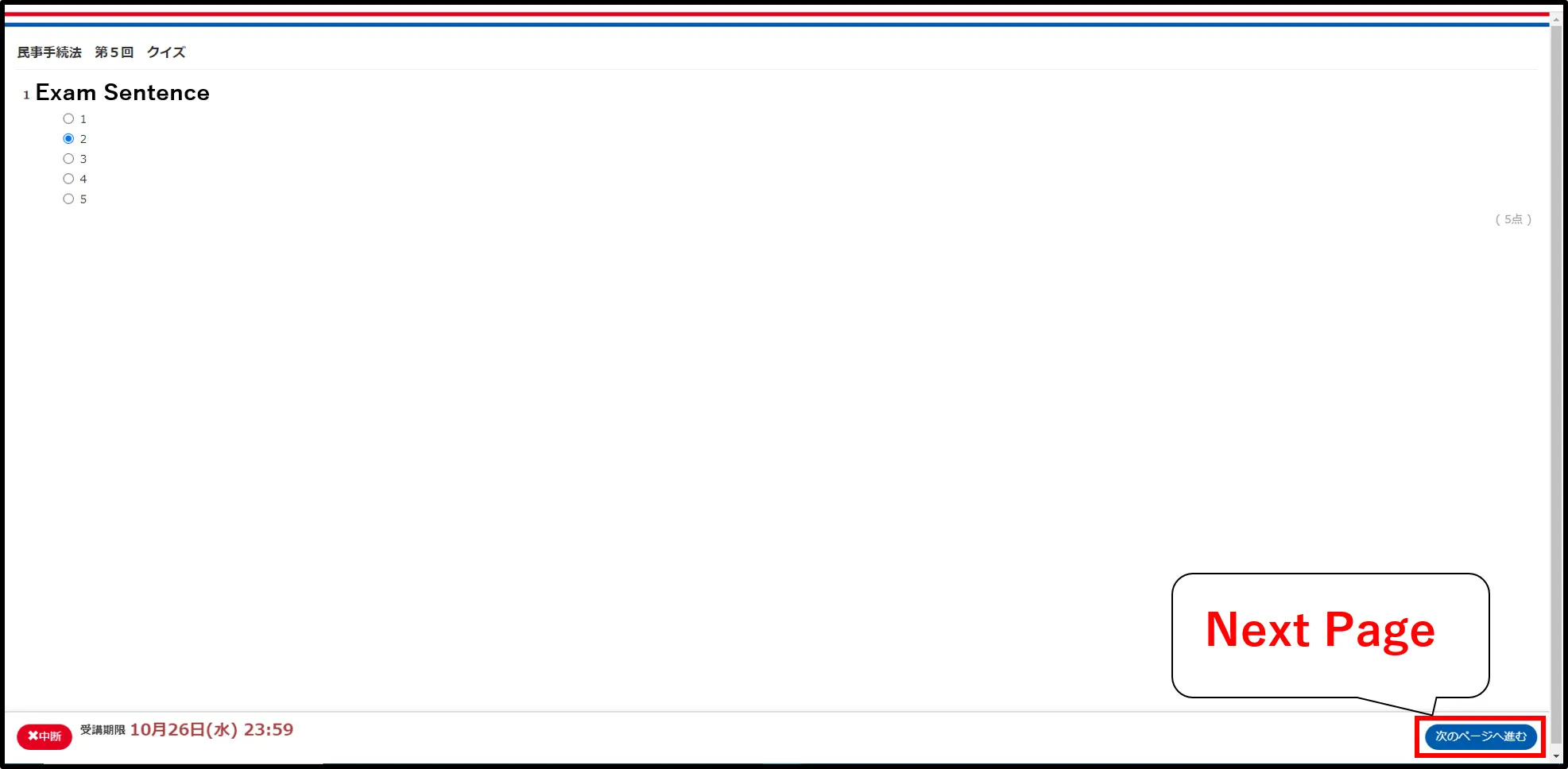
Choose the correct answers and submit the quiz. Don't forget to check whether the quiz contains more than two pages or not.
Paper test
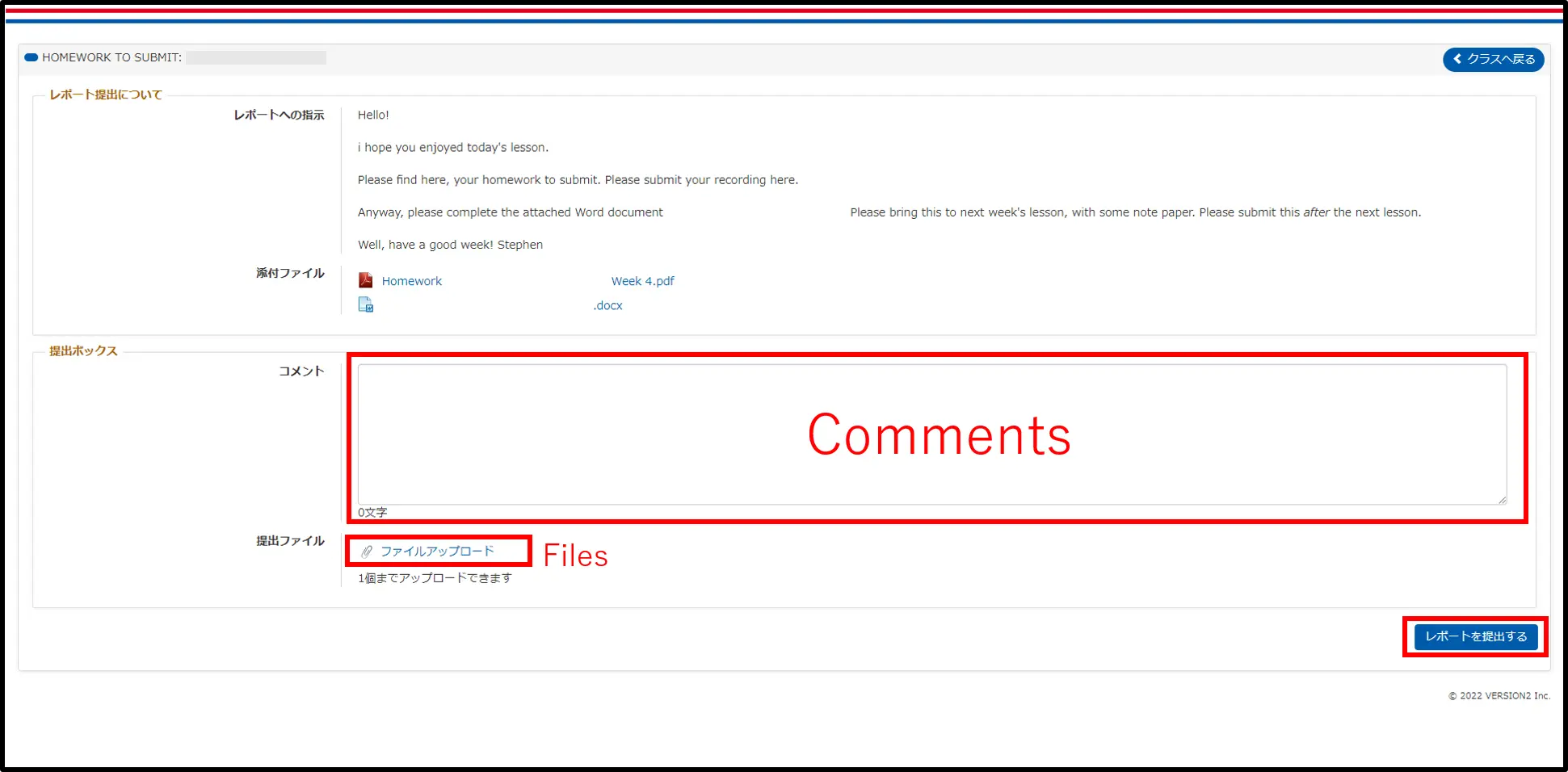
This is the form of paper test which is conducted online. Read the instructions from your teachers and submit your paper through comments or files. Please follow your teacher’s instructions. This form is just the example. Different type is, for example, recording tests, cloze tests, and collection of questions. Please confirm which type your teachers require you to take.
 See in PDF (Download)
関連する質問
-
{{ data.title }}
{{ data.tag }}